
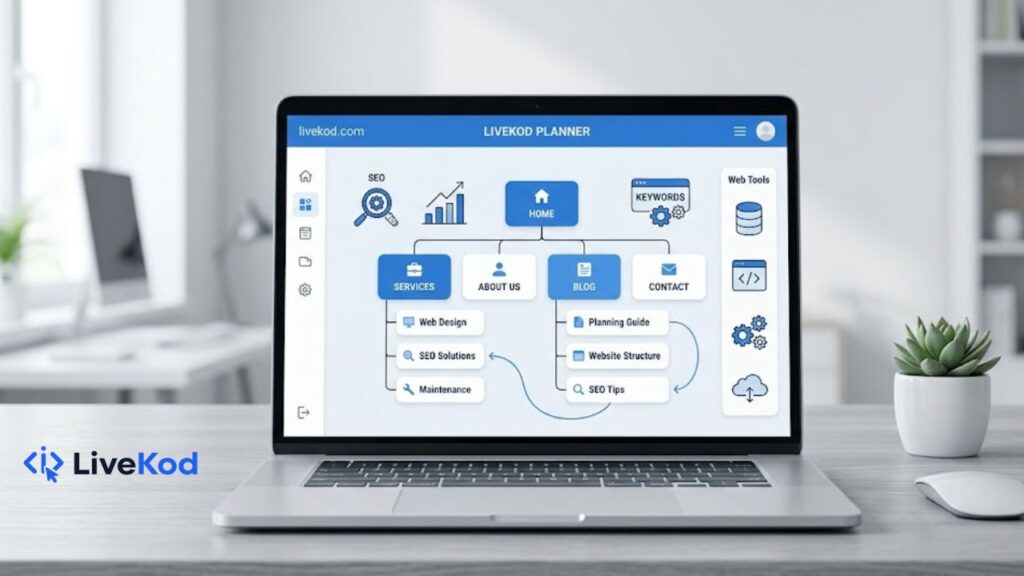
A good website is not only about design. It is also about structure. When visitors land on a website, they should quickly understand what the site offers, where to go next, and which pages are most useful. Search engines also use structure, links, titles, and page organization to understand content. That is why a simple website structure can help both users and SEO.
For a tools-based website like livekod.com, the goal is to make tools easy to discover. A user looking for a text tool, SEO checker, developer utility, or WordPress code generator should not feel lost. The homepage, category pages, tool pages, and blog posts should work together like a clear map.
Why Website Structure Matters
Website structure is the way your pages are grouped and connected. A clean structure helps visitors move from broad pages to specific pages. For example, a visitor may start from a category page and then open a specific tool page. This path is natural, simple, and useful.
Search engines also benefit from clear structure. Google Search Central explains that SEO helps search engines understand content and helps users find useful pages through search. In practical terms, this means your site should use descriptive pages, helpful titles, simple URLs, and internal links that make sense.
External reference: Google SEO Starter Guide.
Start With Main Pages
Every website should begin with a few important main pages. These pages introduce your site, explain what users can do, and guide them to the right sections. For livekod.com, the main navigation can support pages such as:
- Home page for introducing the site and showing featured tools.
- Category pages for Web Tools, SEO Tools, Developer Tools, and WordPress Tools.
- Blog page for helpful guides, tutorials, and website growth tips.
- Contact, About, Privacy Policy, Terms, and Disclaimer pages for trust and clarity.
A user who enters the Web Tools page should instantly see tools like Word Counter, Character Counter, Case Converter, Password Generator, QR Code Generator, and Image Compressor. A user who enters the SEO Tools page should see tools related to meta tags, keyword density, schema, robots.txt, and sitemaps.
Create Strong Category Pages
Category pages are important because they connect related pages together. They also help visitors understand the purpose of each section. A good category page should include a clear heading, short introduction, useful internal links, and a simple list or card layout of related tools.
For example, the Developer Tools page can link to JSON Formatter, JSON Validator, URL Encoder Decoder, Base64 Encoder Decoder, Regex Tester, JWT Decoder, and UUID Generator. The WordPress Tools page can link to shortcode, custom post type, taxonomy, WPCode snippet, child theme, and security snippet generators.
A category page should not feel empty. Add a short explanation of who the tools are for and why they are useful. This helps visitors and gives search engines more context about the section.
Use Internal Links Naturally
Internal links are links from one page of your website to another page of the same website. They are useful because they guide users to related content and help search engines discover important pages.
Here are simple internal linking ideas for a website guides article:
- When discussing content length, link to the Word Counter tool.
- When discussing page titles, link to the Meta Title Checker.
- When discussing search snippets, link to the Meta Description Checker or SERP Preview Tool.
- When discussing technical SEO, link to the XML Sitemap Generator and Robots.txt Generator.
- When discussing WordPress customization, link to WordPress shortcode and WPCode snippet tools.
For example, before publishing a guide, you can check your draft length with the Word Counter, review the page title with the Meta Title Checker, and test the description with the Meta Description Checker. These links are relevant because they support the topic instead of being added randomly.
Keep URLs Simple and Descriptive
Simple URLs are easier to read, share, and understand. A good URL usually includes clear words separated by hyphens. For example, a slug like simple-website-structure-guide is easier to understand than a long URL with random numbers or unnecessary parameters.
For official guidance, Google recommends keeping URL structure simple where possible and using descriptive words. You can read more in Google Search Central URL structure best practices.
Plan Each Page Before Publishing
Before adding a new page, plan the page purpose. A page should answer one clear need. If a page is a tool page, it should explain what the tool does, how to use it, and why it is helpful. If a page is a blog post, it should solve a specific problem for the reader.
A simple page planning checklist:
- Choose one main topic for the page.
- Write a clear H1 heading.
- Add a useful introduction that explains the benefit.
- Add internal links to related pages and tools.
- Write a meta title and meta description before publishing.
- Compress images so the page loads faster.
- Use a simple slug with hyphens.
Image size also matters for user experience. If you publish screenshots or featured images, you can reduce file size with the Image Compressor before uploading them to WordPress.
Make Tool Pages Helpful, Not Empty
Many websites create tool pages with only a form or button. This is not enough for users or SEO. A tool page should include useful supporting content. Add a short intro, steps to use the tool, common use cases, FAQs, and links to related tools.
For example, a QR Code Generator page can explain how users can create QR codes for URLs, business cards, product labels, or quick sharing. A Password Generator page can explain why strong passwords matter and how users can choose length and character options. This makes the page more helpful.
Use SEO Tools While Building Pages
Basic SEO checks should be part of the publishing workflow. Before a page goes live, review the title, description, URL, and structure. Use short titles, useful descriptions, and natural keywords that match user intent.
Useful livekod.com tools for this step include the SERP Preview Tool, Keyword Density Checker, XML Sitemap Generator, Robots.txt Generator, and Schema Markup Generator.
Improve WordPress Pages With Reusable Code
If your site runs on WordPress, reusable code can save time. Shortcodes, custom post types, and snippets help you build repeatable sections without editing every page manually. This is useful for tool websites where many pages use similar layouts.
For example, you can use the WordPress Shortcode Generator to plan reusable shortcodes, or use the WPCode Snippet Generator when you need small WordPress code snippets. These tools can support a cleaner, more organized website workflow.
Final Website Structure Checklist
Use this quick checklist before publishing or improving a website section:
- Main navigation is simple and easy to understand.
- Category pages link to all important child pages.
- Tool pages include helpful text, instructions, and related links.
- Blog posts link naturally to relevant tools and guides.
- Meta titles end with livekod.com for consistent branding.
- Meta descriptions explain the user benefit clearly.
- Images are compressed and relevant to the topic.
- URLs use short descriptive slugs with hyphens.
Conclusion
A simple website structure can make your site easier to use, easier to manage, and easier for search engines to understand. Start with strong main pages, organize tools into clear categories, add helpful internal links, and use SEO basics before publishing each page.
For livekod.com, this approach connects blog content, category pages, and free tools into one useful system. Visitors can discover guides, open relevant tools, and move through the website without confusion. If users need a new tool, they can also visit the Request a Tool page and suggest what should be added next.